
Name-Based Case Searches
Val Verde County's own pages offer no public party-name search across all its courts. The statewide re:SearchTX portal is the electronic option worth testing. Its official guide lays out search areas for Cases, Filings, Text in Documents, and Hearings. A keyword box and filters sit alongside. Coverage of Val Verde courts changes. Confirm what's there. Don't assume every court, older case, criminal record, or document appears.
- Register or sign in through the official re:SearchTX instructions.
- Choose the Cases search area and enter the full name or a careful variant.
- Use only visible filters, then compare court, case type, and dates among possible matches.
- Open the case description for details and confirm the match with the proper clerk.
Uncertain matches come with the territory. Common names, initials, suffixes, spelling changes, and name changes all blur the results. A cause number beats a name alone. Write down your query, filters, and search date instead of treating one hit as the final word.
No Val Verde Countywide Index
Val Verde County keeps no single search tool for its courts. One query cannot reach the 63rd and 83th District Courts, County Court at Law, all four JP precincts, and Del Rio Municipal Court at once. The county government directory sends you to each office on its own instead. That split matters when you chase a docket. The District Clerk holds the pleadings and papers filed in district court, while the County Clerk handles county-level cases. Each JP precinct keeps its own clerk, and Class C city matters sit with Del Rio Municipal Court.
Best first question: Which court filed the case or issued the citation? The answer determines the portal, clerk, and record request.
A broad request for all county cases needs boundaries first. Name the court and the period. Add the party or case identifier, and the document type you want. If re:SearchTX comes back empty, move down the clerk request chain. A no-result screen never proves that no case exists.
Case Number Searches
A complete cause or case number is the strongest key. That holds for any Val Verde County case lookup. Copy every year, prefix, dash, letter, and leading zero exactly as issued. County calendar samples show cause number as a central field. There's no proven universal Val Verde number mask. Don't force a district, county, JP, and municipal identifier into one made-up pattern. JP1's official nCourt portal offers a real local example, 123456A. Its instructions say to include the letters. If a number starting with zero fails, retry without the leading zero. That vendor route handles JP1 citation or case payment work, not a countywide docket index. Federal cases use a separate Western District format, O:YY-TY-#####-INI-RIN. They belong in PACER, not a county clerk search. When you call a clerk, read the number back and name the court. Add the case type and filing or hearing date if you know them. Those details cut down false matches.
Val Verde Search Areas
The re:SearchTX guide splits searching into four cards. Each card answers a different question, so picking the right one trims the noise in a Val Verde County docket search.
| Search area | Type | Required | Use and limits |
|---|---|---|---|
| Cases | Case research | Keyword | Opens case descriptions and details where covered. |
| Filings | Entry research | Keyword | Locates filing entries, not necessarily every document image. |
| Text in Documents | Document text | Keyword | Works only where searchable text and access are available. |
| Hearings | Setting research | Keyword | Hearing types may open detail, but local confirmation still controls. |
The public guide confirms keyword behavior, left-side filters, export tools, and saved searches. It doesn't back inventing a Val Verde dropdown. The same goes for a cause-number mask, party-role field, or mandatory date input. Work with the labels actually shown. Access rules, document prices, account terms, and participating-court coverage can all change.
Case Search Results Explained
One result can open into case details, filing entries, hearing information, document results, filter counts, and export or save controls. The depth varies by court. A case description helps you identify the matter. A filing entry logs activity, but neither is necessarily the document itself. A hearing detail is a setting record. It doesn't prove the hearing happened or that a ruling followed.
| Cause number | The court identifier and best disambiguation key. |
|---|---|
| Style or parties | The case caption used to locate a matter, not a finding about a party. |
| Case type | Civil, criminal, family, juvenile, probate, traffic, or another court category. |
| Filing date | The date tied to a filing, distinct from a hearing or disposition date. |
| Hearing | A scheduled event that requires current court confirmation. |
| Description | Official explanatory text that should not be expanded into an unsupported outcome. |
Exporting results preserves a research log. Date-stamp it. Portal coverage and local court calendars shift, so a saved export can go stale.
Val Verde Docket Versus Filing
eFileTexas serves registered filers, not the general public hunting a Val Verde County court docket. It isn't the all-case index. A submission, an accepted filing, a file-stamped document, and a docket entry are related but different states. The Val Verde District Clerk's local instructions likewise separate lead documents from exhibits or attachments, case-information sheets, citations, copies, and optional services. Want an existing document? Don't file something new just to get it. Use the clerk request process instead. Attorneys and registered filers should turn to eFileTexas and the local filing instructions for a real submission. If a deadline or a returned filing is in play, save the system message. Then call the clerk. An electronic acceptance message is never a ruling by the judge.
Note: A calendar event, filing entry, document image, order, and certified copy are five different records.
Two Ways to Search: County and State
The statewide portal and Val Verde County channels each fill a gap the other leaves. Treat neither as a full replacement. A smart Val Verde County docket search uses both.
| Feature | re:SearchTX | Val Verde County route |
|---|---|---|
| Reach | Participating Texas electronic records where available | The specific local court, calendar, or clerk |
| Best use | Testing a cross-court case, filing, or hearing query | Confirming a known local case or requesting a record |
| Main limit | Coverage, access, and historical depth require verification | No single public countywide index was located |
| Certified copy | A download is not automatically certified | Ask the record custodian specifically for certification |
The county calendar helps you locate a setting by court and date. The District Clerk can then confirm district records. County Court at Law matters may involve the County Clerk for custody and the coordinator for scheduling. JP and municipal searches stay separate.
Val Verde Clerk Fallback
The District Clerk works from a single records request form that covers email, phone, fax, and in-person orders. It asks for your contact details, a clear description of the records, a delivery choice, a signature, and a date. Delivery can happen by pickup, mail, email, or fax. Call 830-774-7538 to prepay. The clerk allows up to ten business days. No copy fee appears on the form, so confirm the amount when you order.
District requests go to the email shown on the form, by fax to 830-774-7643, in person at 100 E Broadway, or by mail to P.O. Box 1544, Del Rio, Texas 78841-1544. County Court at Law files can sit with either office. Ask first whether the County Clerk or District Clerk holds that case type. The County Clerk is at 400 Pecan, reachable at 830-774-7564 or 830-778-7411.
Justice of the Peace records depend on the precinct. Del Rio city tickets belong to its Municipal Court. If you hope to use a courthouse terminal, ask the clerk about access before your visit.
Which Cases Stay Restricted
The law puts real limits on public docket access. Texas Government Code section 552.0035 places judicial records under Supreme Court rules and other law. A routine agency request does not reach them. Texas Rule of Judicial Administration 12 supplies the framework for judicial records within its scope. Beyond that, statutes, court rules, sealing orders, and clerk procedures can each control a case file.
Juvenile justice material can stay confidential under Texas Family Code Chapter 58. Nondisclosure can block criminal-history release. Rule 21c governs sensitive-data handling in civil filings. Sealed records remain under court control. A public portal may omit that material, redact it, or limit documents by user role. A missing entry does not mean the case never existed.
Access limit: Ask the clerk for the governing procedure and narrow the request when access is denied or restricted. Never try to bypass a seal or redaction.
Val Verde Search Audit Trail
Write down what you searched. Log the portal name, the date checked, your query, any court or county filter, the date range, and the result count if one displays. Save only public details the task truly needs. The re:SearchTX export and saved-search controls help. But your note should still record when the material was gathered. That way a later no-result or changed result is easier to explain without overstating what the database proved.
For procedure rather than party cases, the official Texas Local Rules search lets you pull local rules, forms, and standing orders by court, county, group, type, document type, title, or free text. The page shows each filter you can apply.
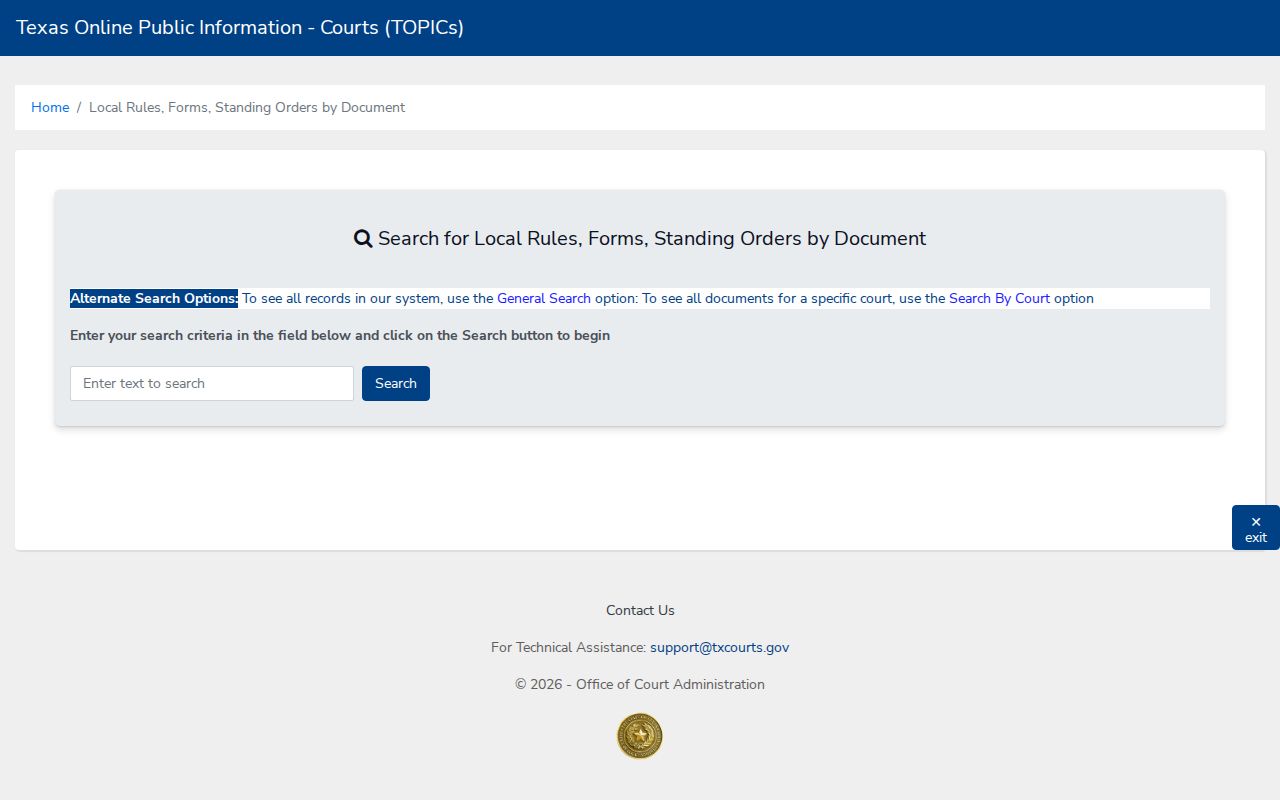
Use that source for current procedure, not party cases. Archived local rules can explain history, yet the current rule and the court's own page control. For federal matters in the Del Rio Division, turn to PACER and the Western District CM/ECF. Those files never sit with the Val Verde clerks.