
Val Verde County Civil Docket Searches
Val Verde County offers no countywide civil case-index form online. Two routes still work well. The official county calendar shows settings. And re:SearchTX covers statewide electronic research where a case appears. Neither one is a complete civil register. When a result is missing, restricted, brand new, or needed certified, go through the clerk. Search with the full cause number when you can. Keep the prefix, year, letters, dashes, and leading zeros intact. A party-name search calls for spelling variants. Then narrow by court, case type, filing period, or a known hearing date. Remember that a style on a calendar is just the case caption. It says nothing about liability or judgment.
- Identify whether the matter belongs to a district court, County Court at Law, or a specific Justice Court.
- Search the county calendar under that court and test re:SearchTX with the same court and cause number.
- Compare the style, court, cause number, filing date, case type, and setting before accepting a match.
- Contact the correct clerk if the result is absent or incomplete, and ask whether an in-office public index is available.
- Request the exact pleading, motion, order, judgment, docket sheet, or certified copy required.
Val Verde Civil Clerk Map
Pleadings and papers filed in the 63rd and 83rd Judicial District Courts sit with the Val Verde County District Clerk. That office also supplies records for County Court-at-Law family and juvenile matters. It does not hold every Court-at-Law file, though. County-level civil, probate, and protective-order questions may point elsewhere. Those may go instead to the County Clerk and the Court at Law. Confirm custody before sending any payment.
| Matter | Likely court | First records route |
|---|---|---|
| General district civil | 63rd or 83rd District Court | District Clerk |
| County-level civil or probate | County Court at Law | County Clerk, then court as directed |
| Family or juvenile | District or concurrent county jurisdiction | Confirm with District Clerk |
| Debt, small claim, repair, or eviction | JP1 through JP4 | Specific Justice Court clerk |
Calendar and courtroom questions go to the court coordinators. Custody, filed documents, copies, and certification belong to the clerks. Blending those roles can stall a Val Verde County civil docket request.
Civil Dockets: What They Show
A setting on Val Verde County's official calendar sample carries plenty of detail. Expect cause number, category, filing date, hearing time, case type, style, description, attorneys, interpreter information, and remote-hearing details. The full civil case file can hold much more. It may include petitions, answers, motions, exhibits, orders, and a judgment. A setting sheet does not promise access to each of those documents. So use the docket as an index and timeline first. Then name the exact record you want when ordering a copy.
| Cause number | The court identifier used to connect a setting, filing, and clerk record. |
|---|---|
| Style | The case caption or party label, not a finding about either side. |
| Filing date | The date tied to a filed item; it may differ from the hearing or judgment date. |
| Case type | The court's civil, family, probate, protective-order, or other category. |
| Hearing and description | The scheduled time and stated purpose, subject to reset or later correction. |
| Order or judgment | A ruling or final disposition where entered; request the document itself for its terms. |
Treat the remote details and interpreter fields as operational aids. They can change, so confirm them with the court assigned to the cause.
Val Verde Calendars Are Setting Sheets
The county calendar can help you locate a civil hearing. But it is not a full register of filings. Its interface lets you set start and end dates, keywords, past events, and court selection. Non-court county calendars appear there too, so the filter you choose really matters. A listing from "Main Calendar" should not be assumed to belong to the 63rd, 83rd, County Court at Law, or a Justice Court.
Quick answer: A calendar entry proves only that the listed civil event appeared on that version of the schedule. It does not prove the hearing occurred or state the final judgment.
Write down the court filter, search date, date range, and event wording. If the event vanishes, try past events and the alternate court filter. Then call the coordinator. Zoom details saved from an old PDF may be expired. The current court notice controls.
What Cases Fill the Civil Docket
Jurisdiction divides Val Verde County's civil work. General-jurisdiction civil matters, along with family and divorce cases, belong to the district courts. The County Court at Law handles civil, probate, protective-order, domestic, juvenile, and claims-in-damages work. Its stated jurisdiction bounds that reach. Justice Courts cover lower-court civil categories through separate precinct offices. So the case category works as a routing tool, not just a descriptive label.
- General civil claims assigned to the 63rd or 83rd District Court
- Family and domestic cases, with custody confirmed by the clerk
- County Court-at-Law civil, probate, protective-order, and damage claims
- Justice Court debt claims and small claims
- Justice Court evictions and repair-and-remedy matters
Some records deserve extra care. Probate, protective-order, family, and juvenile files may hold sensitive or restricted information, and public court operations do not entitle every requester to every filing. The Texas trial courts overview gives the statewide jurisdiction context.
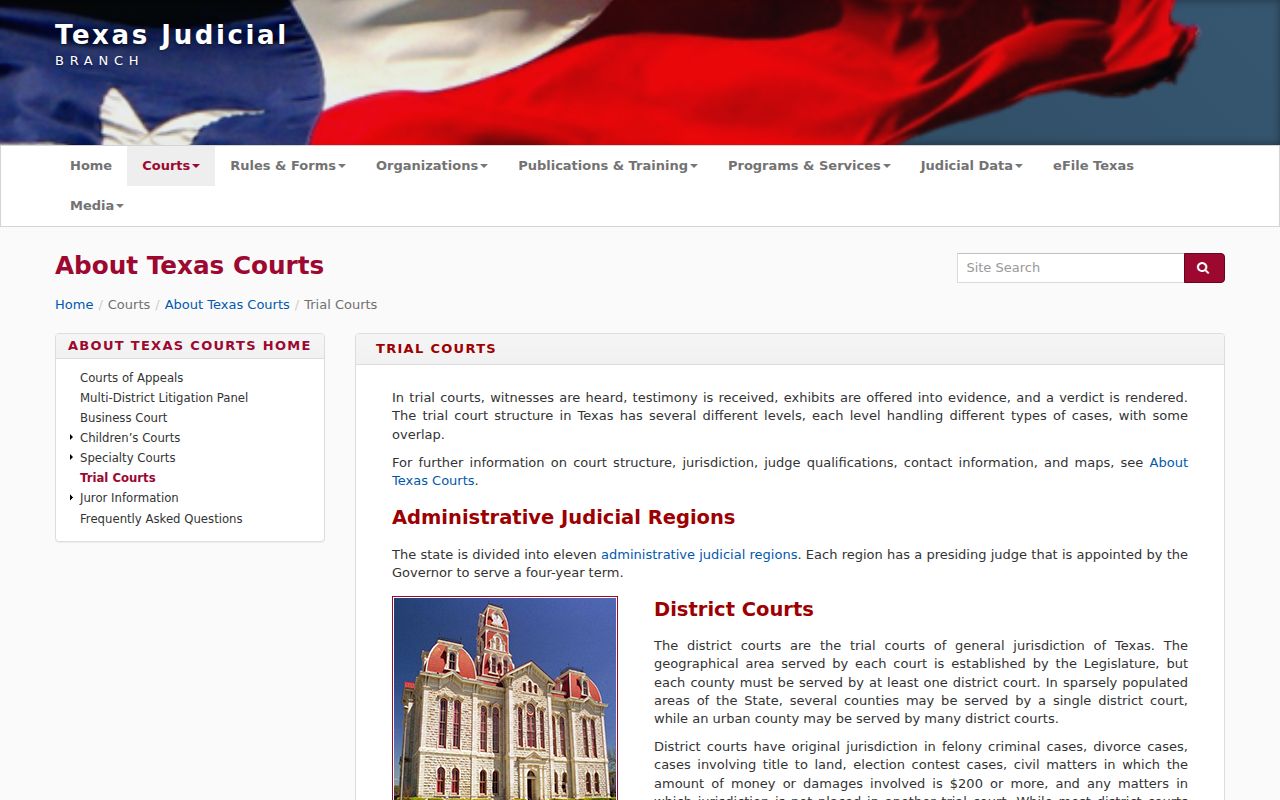
That hierarchy is worth a minute of study. It separates a district civil file from a county-level or precinct civil matter before the search begins.
Val Verde Justice Court Dockets
Debt claims, small claims, repair-and-remedy cases, and evictions do not default to a district clerk. JP2 links Texas Rules of Civil Procedure 500 through 510. It also names its civil and eviction functions. JP1 lists a civil-suit limit of $10,000. The limit appears on its page, though you should confirm current jurisdiction and claim type before filing or requesting a record. No single public countywide JP civil index exists, so the precinct offices are the route. Find the precinct first. Use the papers, property location, or court notice. Then call that office directly: JP1 at 830-774-7545, JP2 at 830-774-7579, JP3 at 830-774-7511, or JP4 at 830-774-7581. All four sit at 309 Mills Street in Del Rio, each in a different suite. Ask the specific clerk about its search, copy, payment, and delivery process. Note: An eviction setting stays on its Justice Court route. It should not be treated as a district civil docket by default.
Hearings on the Civil Docket
On the Val Verde County civil docket, a setting can be many things. It might be a motion hearing, docket call, a scheduling event, or a trial setting. Read the date, time, judge, court, style, and description as one picture before drawing conclusions. “Cases to be set” is only scheduling language. The case is not being tried that day. A reset or continuance shifts a court date; it never dismisses the case.
Start with the current county calendar. Then confirm with the coordinator who handles that court's civil docket. The 63rd District Court takes calls at 830-774-7523. The 83rd takes calls at 830-774-7654. County Court at Law takes calls at 830-774-7575. The county documented an 83rd coordinator change in May 2026, so rely on the current directory instead of a saved staff contact. For a fuller settings workflow, see the Val Verde County court schedule.
The 63rd District Court page posts current court and operational links from the court itself.
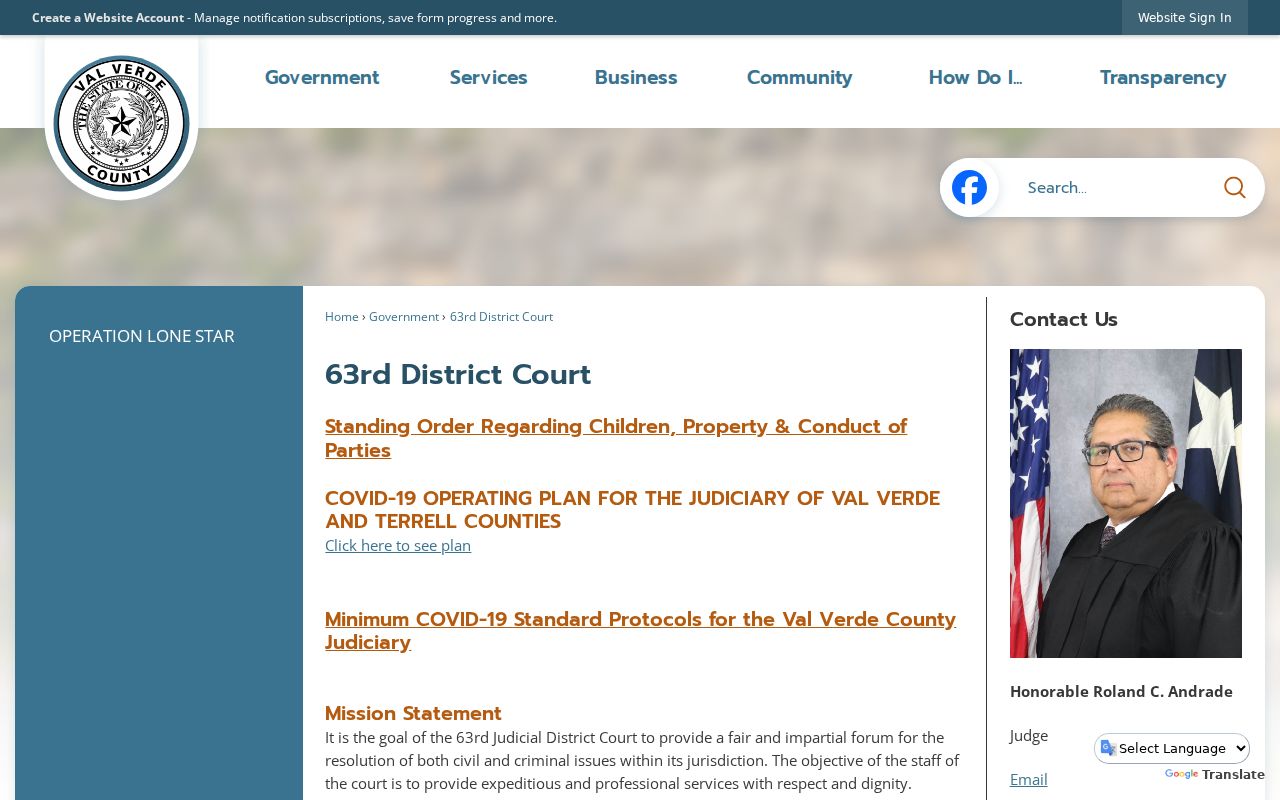
Check the court page again if a hearing instruction seems unclear. For filed civil records, the District Clerk remains the source of truth on the Val Verde County docket.
Val Verde Civil Record Requests
The District Clerk's official request form gives you several ways to order. Email, telephone, fax, and in-person channels all work. Pickup, mail, email, and fax delivery are offered too. Give your contact information and describe exactly what you need. The strongest requests name the court, the full cause number, the party or style, a date range, and the precise pleading, order, judgment, decree, or docket sheet. Vague wording slows the clerk down.
Visit the District Clerk at 100 E. Broadway, first floor, Del Rio, TX 78840. Mail goes to P.O. Box 1544, Del Rio, TX 78841-1544. The civil line is 830-774-7538 and the fax is 830-774-7643, while records forms may be sent to districtclerk-recordsrequest@valverdecounty.texas.gov. Call ahead to prepay any requested services. The form estimates up to 10 business days, though it publishes no complete current fee for copies or certification.
County-level matters belong with the County Clerk. Visit 400 Pecan Street, first floor, Del Rio, or call 830-774-7564. Their existing-case payment instruction asks callers to have the case number handy. That instruction does not create a universal online docket or one common fee for every record. Confirm both custody and cost before you commit.
Val Verde Civil Filing Status
eFileTexas is the statewide electronic filing system. Attorneys and registered filers use it. It is not a general public case index. Keep four stages straight: a submission, an accepted filing, a file-stamped document, and a docket entry are related but distinct. The District Clerk's local information notes that a case-information sheet and exhibits may need to be separate documents or attachments. Citations and copies can be optional services rather than part of the filing code itself.
- Submitted
- The filing package was sent through the service provider.
- Accepted
- The clerk accepted the filing under the applicable workflow.
- File stamped
- The document carries the clerk's filed mark where applicable.
- Docket entry
- The filing or event appears in the court's chronological record.
Want an existing document rather than a new court filing? Use the record-request path. Filers up against a deadline should save the submission status and call the clerk about any returned item on the Val Verde County civil docket.
Who Can See Civil Dockets
Who gets to see a judicial record? Texas Government Code section 552.0035 says Supreme Court rules or other law govern judiciary access. Texas Rule of Judicial Administration 12 supplies the public-access framework for judicial records. The rule applies within its scope. Court rules, sealing orders, and specific statutes can also limit a case file. Sensitive data in civil filings falls under Texas Rule of Civil Procedure 21c. It covers identification, financial-account, birth-date, address, and minor-related information.
Key Rules:
Texas Government Code § 552.0035 places judiciary access under court rules and other law.
Texas Rule of Judicial Administration 12 provides the custodian and request framework within its scope.
Texas Rule of Civil Procedure 21c requires careful treatment of sensitive data in civil filings.
Texas Family Code Chapter 58 limits access to specified juvenile justice records.
A filing may be missing for several reasons. It could be sealed, restricted, redacted, not yet indexed, or outside the portal's coverage. Ask the clerk about the controlling procedure. Narrow your docket request if access is limited. Never bypass a seal or publish sensitive values pulled from a court form.